
Genosys France
Pen K
Pen K
Couldn't load pickup availability
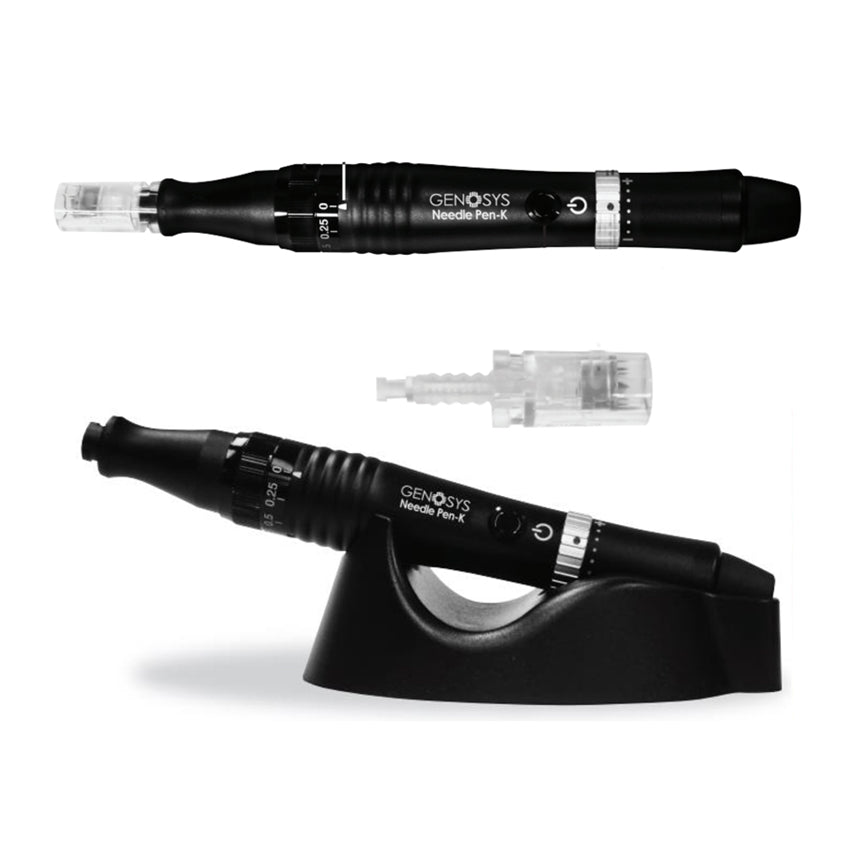
The NEEDLE PEN-K, a micro-needling pen for automated microneedling. Unique in terms of
Thanks to its design and manufacturing process, the micro-spike heads penetrate the skin, opening pathways that facilitate penetration and absorption.
Cosmetics. Microneedling treatment is a very well-balanced technique with long-lasting effects. Facial Treatment: Reduced
Deep wrinkles, fine lines, puffiness, and dark circles. Lifts and firms. Tones and redefines the facial contours. Treats acne and improves skin texture.
Skin. Reduces acne scars and pigmentation spots. Promotes collagen and elastin production. Body treatments: Firms, lifts, and
Reduces tissue sagging. Diminishes stretch marks and scars. Improves skin texture. Enhances treatment results
Post-surgical hair treatment: Provides nourishment to the hair fiber. Reduces hair loss and promotes regrowth.
Instructions for use:
1. Preparation
1) Open the sterilized pouch of the needle cartridge.
2) Align the bottom of the needle cartridge with the groove inside the device, then press the needle protector down.
3) Turn the needle cartridge clockwise to attach it to the device. The needles must not protrude
of the needle guard when the needle cartridge is inserted into the device. If the needles protrude, remove the needle cartridge from
remove the device and reinsert it following the steps described above.
4) Choose the correct needle length.
5) The needle cartridge is removed by turning it in the opposite direction.
the hands of a clock.
2. On/Off
Press the power button to start or stop the device.
3. Adjustable speed and needle length
1) Speed
Adjust the device's speed by turning it clockwise.
watch or in the opposite direction using the speed adjustment ring.
The speed varies depending on the position of the red dot on the ring of
Speed control. If the red dot is located on "|", it is operating at speed
the slowest, and if it is located on "+", it operates at the fastest speed.
2) Needle length
Adjust the needle length by turning the adjustment ring in the
clockwise or counter-clockwise to position
the needle length marker to the desired needle length.
The needle length can be adjusted while the device is operating.
4. Automatic pause
If you place the device on the docking station while using it, it
will stop working for a while and then start working again
automatically when you remove it. To use the "pause" function
"automatic", place the device on the base as shown in the image.
SKU:
Share
